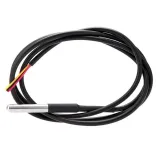
SKU: OT2058-D113 Numero articolo: AB165 EAN: 8720618827999

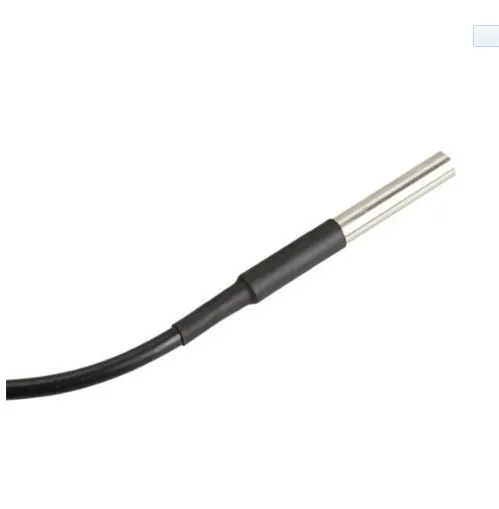
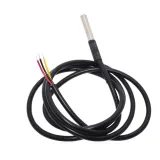
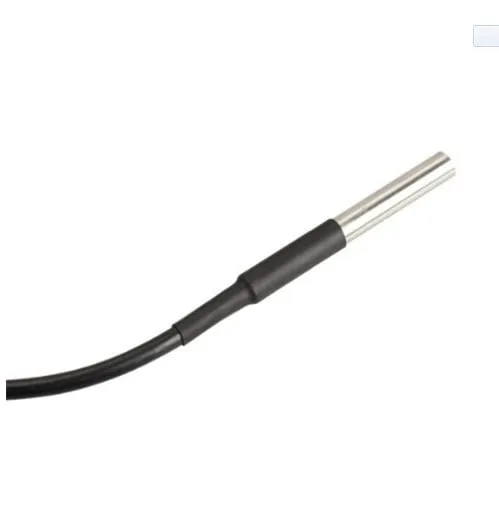
Sensore di temperatura DS18B20 impermeabile con una lunghezza totale di 5 metri.
Il diametro del sensore è 6mm e ha una lunghezza di 50mm.
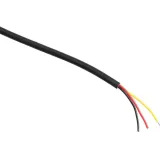
Lo spessore del cavo è 4mm e contiene 3 piccoli fili da 1,1mm con i colori rosso, nessuno e nero.
Voltage: 3V tot 5.5V
Dimensioni
Lunghezza: 500cm
Larghezza: 0,04cm
Altezza: 0,04cm
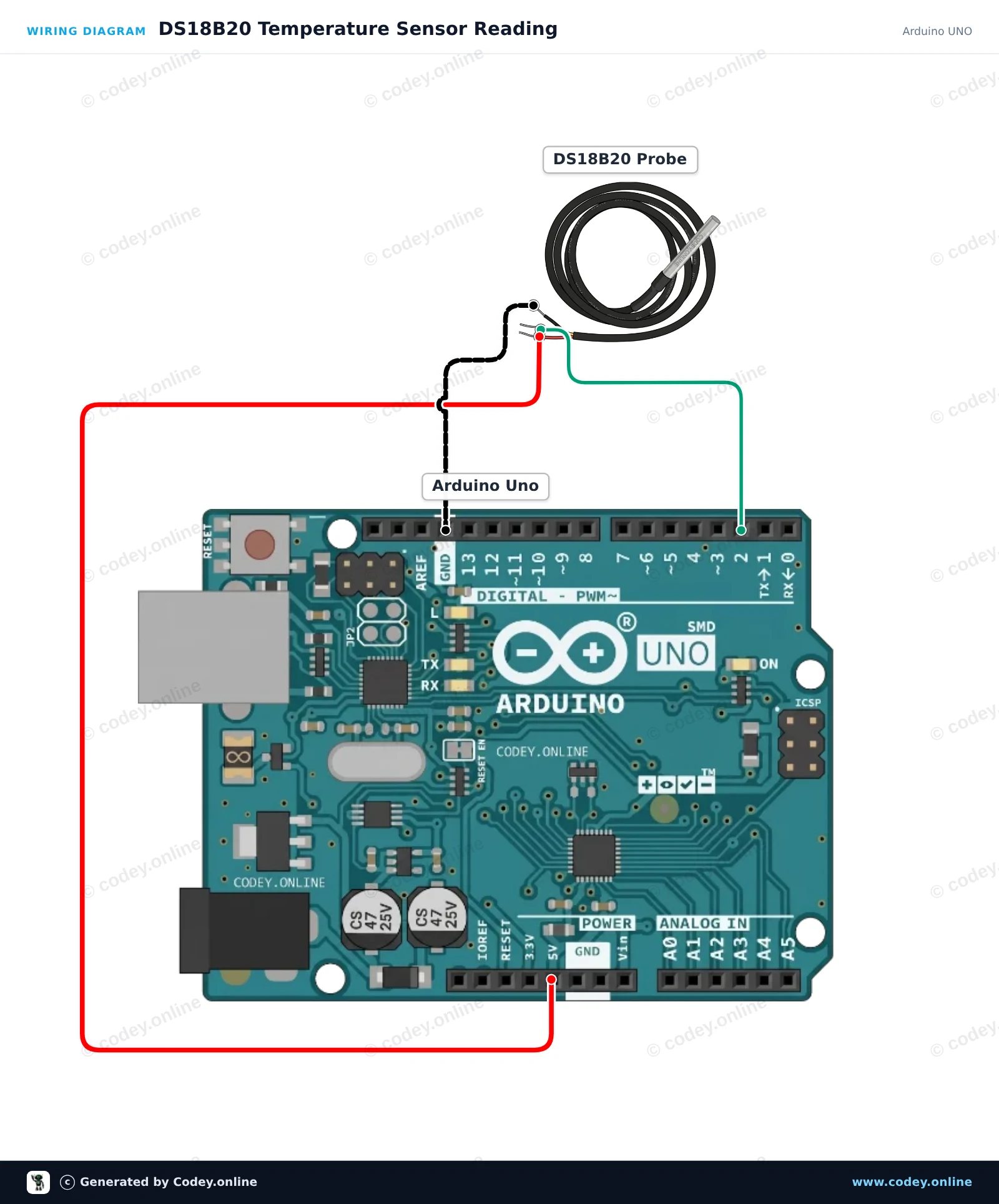
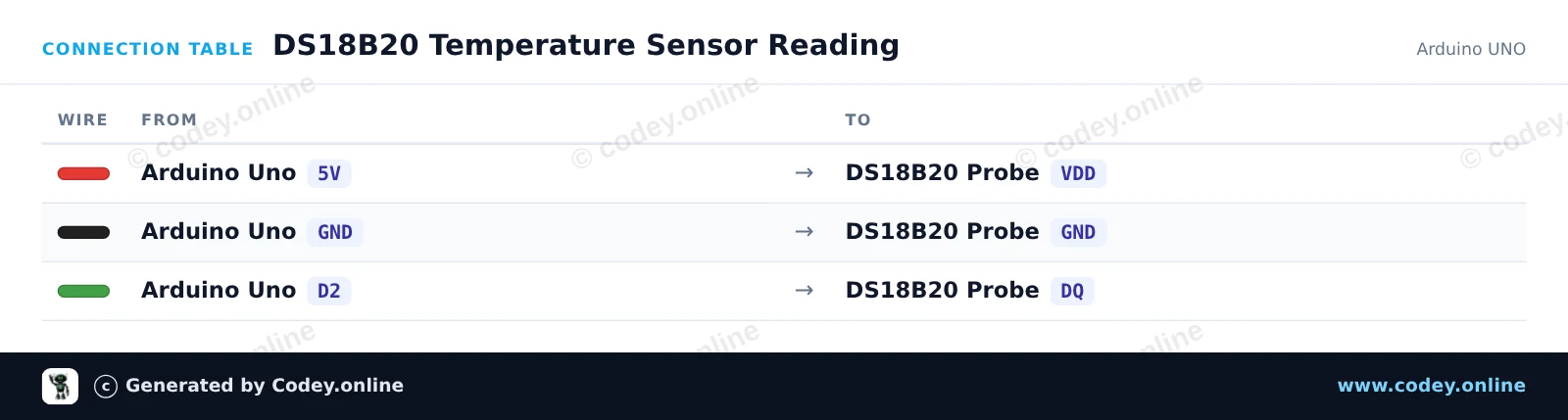
Ecco come collegare il Sensore di temperatura sonda impermeabile DS18B20 cavo 5m a un Arduino UNO o ESP32, con uno sketch di esempio che puoi caricare subito.
Questo esempio legge la temperatura ambiente o di un liquido usando la sonda digitale impermeabile DS18B20. Arduino interroga il sensore tramite il protocollo 1-Wire e stampa ogni secondo i valori in Celsius e Fahrenheit nel Monitor Seriale.
/*
 * ==================================================================
 *  Generated by Codey.online  —  https://www.codey.online
 * ==================================================================
 *  Project   : DS18B20 Temperature Sensor Reading
 *  Board     : Arduino UNO (arduino:avr:uno)
 *  Parts     : DS18B20 waterdichte probe temperatuursensor 1 m cable
 *  Libraries : OneWire 2.3.8, DallasTemperature 4.0.6
 *
 *  Codey Online is an AI-powered browser IDE for Arduino and ESP32.
 *  Describe your project and Codey writes the code, draws the wiring
 *  diagram and uploads it to your board, straight from the browser.
 *  This code is free to use, modify and share, without warranty.
 * ==================================================================
 */

#include <OneWire.h>
#include <DallasTemperature.h>

const int ONE_WIRE_BUS = 2;

OneWire oneWire(ONE_WIRE_BUS);
DallasTemperature sensors(&oneWire);

void setup() {
  Serial.begin(115200);
  sensors.begin();
  Serial.println(F("DS18B20 Temperature Sensor Initialized"));
}

void loop() {
  sensors.requestTemperatures();
  float tempC = sensors.getTempCByIndex(0);

  if (tempC == DEVICE_DISCONNECTED_C) {
    Serial.println(F("Error: Sensor not detected"));
  } else {
    float tempF = DallasTemperature::toFahrenheit(tempC);
    Serial.print(F("Temperature: "));
    Serial.print(tempC, 2);
    Serial.print(F(" °C  |  "));
    Serial.print(tempF, 2);
    Serial.println(F(" °F"));
  }

  delay(1000);
}Librerie necessarie: OneWire 2.3.8, DallasTemperature 4.0.6
Wiring diagram and example code generated by Codey.online — https://www.codey.online
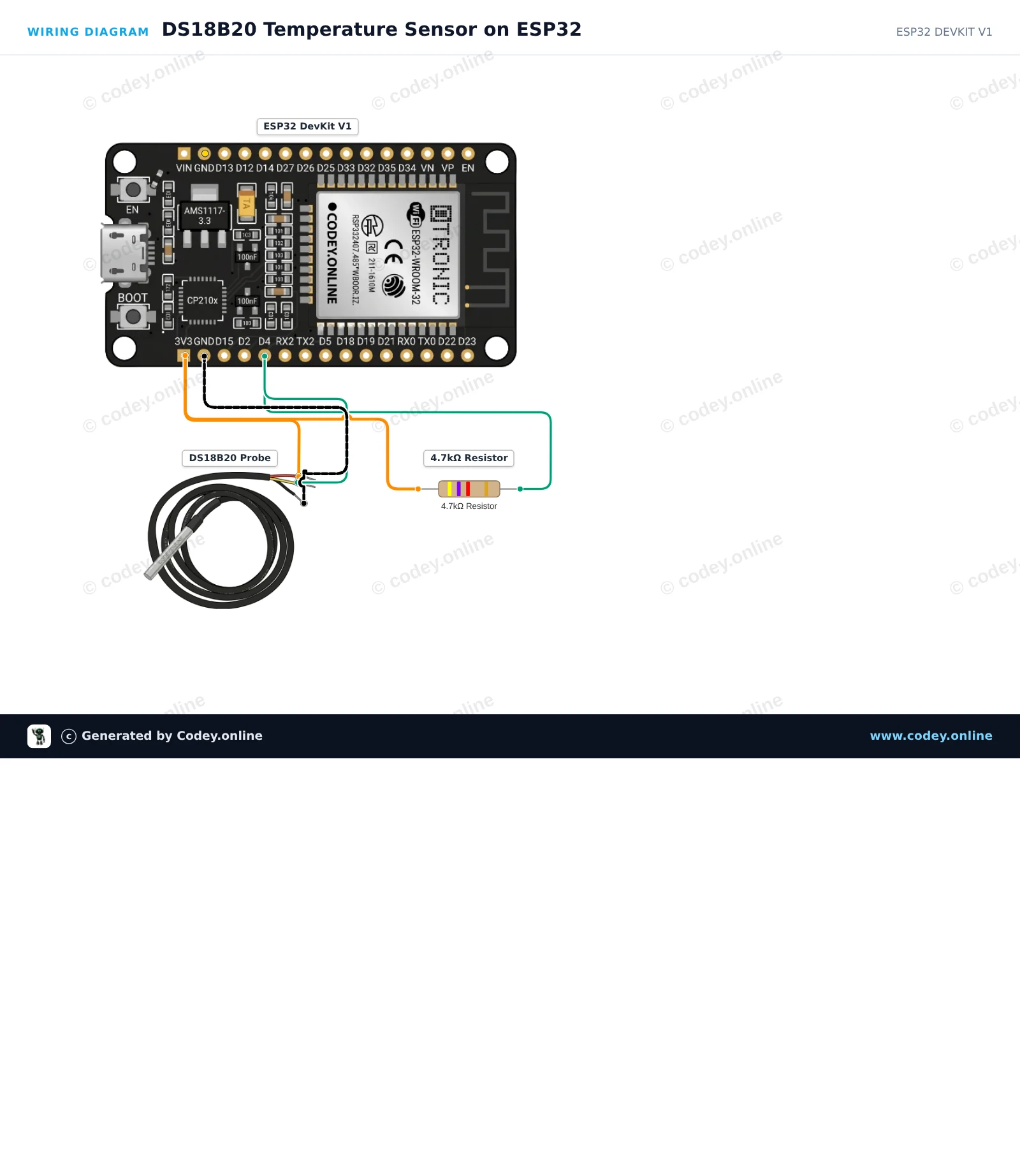
Questo progetto misura la temperatura ambientale o di un liquido utilizzando una sonda DS18B20 impermeabile su un bus 1-Wire. Una resistenza di pull-up da 4.7kΩ viene collegata tra 3.3V e il pin dati (DQ) per garantire una comunicazione affidabile. Apri il Monitor Seriale a 115200 baud per visualizzare letture di temperatura continue in tempo reale in Celsius e Fahrenheit.
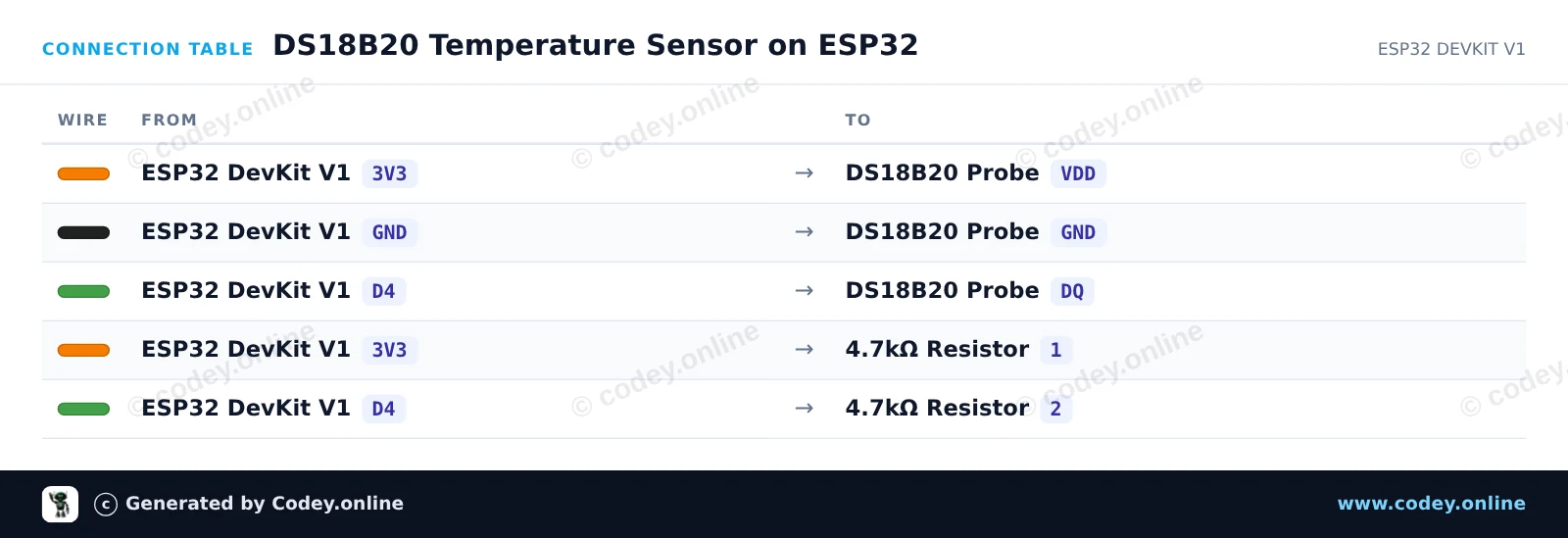
/*
 * ==================================================================
 *  Generated by Codey.online  —  https://www.codey.online
 * ==================================================================
 *  Project   : DS18B20 Temperature Sensor on ESP32
 *  Board     : ESP32 DEVKIT V1 (esp32:esp32:esp32doit-devkit-v1)
 *  Parts     : DS18B20 waterdichte probe temperatuursensor 1 m cable
 *  Libraries : OneWire 2.3.8, DallasTemperature 4.0.6
 *
 *  Codey Online is an AI-powered browser IDE for Arduino and ESP32.
 *  Describe your project and Codey writes the code, draws the wiring
 *  diagram and uploads it to your board, straight from the browser.
 *  This code is free to use, modify and share, without warranty.
 * ==================================================================
 */

#include <OneWire.h>
#include <DallasTemperature.h>

// DS18B20 data line is connected to GPIO 4
#define ONE_WIRE_BUS 4

OneWire oneWire(ONE_WIRE_BUS);
DallasTemperature sensors(&oneWire);

void setup() {
  Serial.begin(115200);
  sensors.begin();
  Serial.println("DS18B20 Temperature Sensor Demo");
}

void loop() {
  sensors.requestTemperatures();
  float tempC = sensors.getTempCByIndex(0);
  float tempF = sensors.getTempFByIndex(0);

  if (tempC == DEVICE_DISCONNECTED_C) {
    Serial.println("Error: Could not read temperature data");
  } else {
    Serial.print("Temperature: ");
    Serial.print(tempC, 2);
    Serial.print(" °C | ");
    Serial.print(tempF, 2);
    Serial.println(" °F");
  }

  delay(2000);
}Librerie necessarie: OneWire 2.3.8, DallasTemperature 4.0.6
Wiring diagram and example code generated by Codey.online — https://www.codey.online





 English
  Nederlands
  Frans
Frans  Deutsch
  Español
  Suomi
Suomi  Polski
  Dansk
Dansk  Ελληνικά
  Български
  Čeština
  Hrvatski
  Aileen