SKU: OT3243 Numero articolo: AB098 EAN: 8720618231314

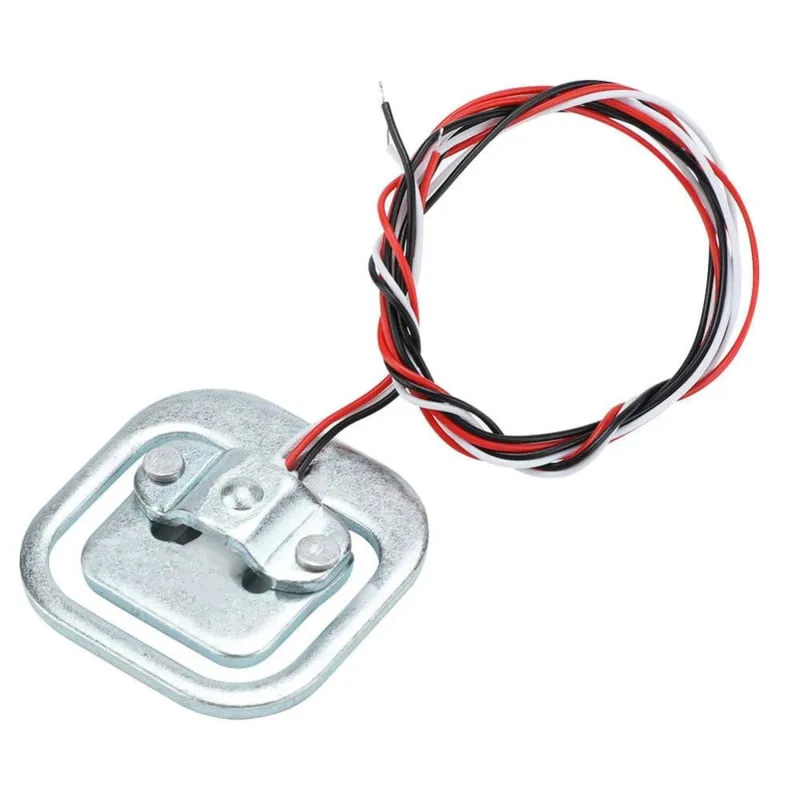
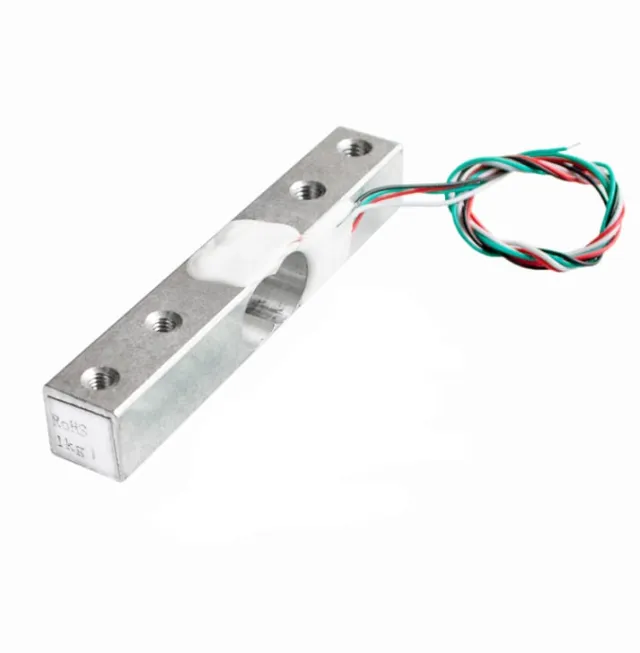
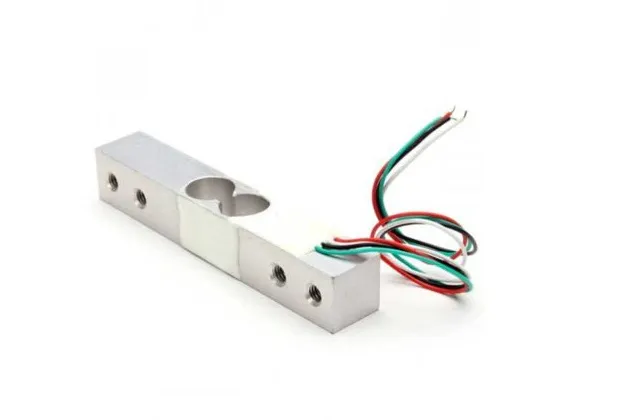
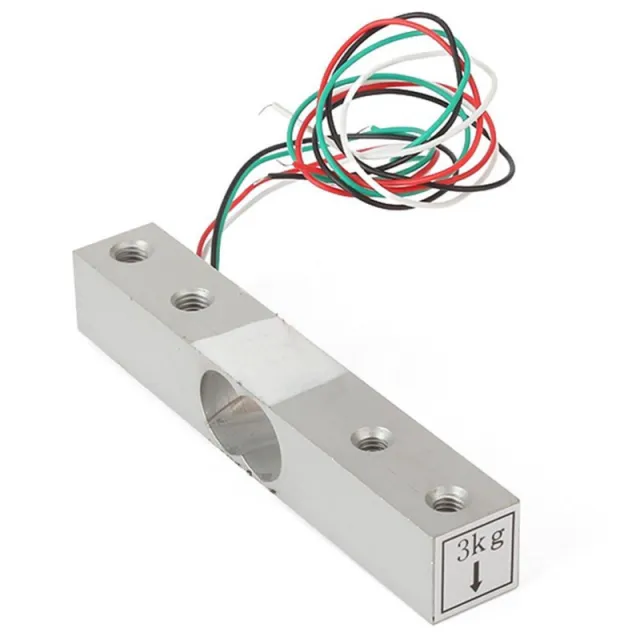
Questa cella di carico o sensore di peso può misurare un peso fino a 50KG. Se desideri pesare un peso maggiore, è possibile combinare il sensore. Ad esempio, usando 4 celle di carico da 50KG si ottiene un peso massimo di 200KG.
Materiale: Alluminio
Capacità: 50KG
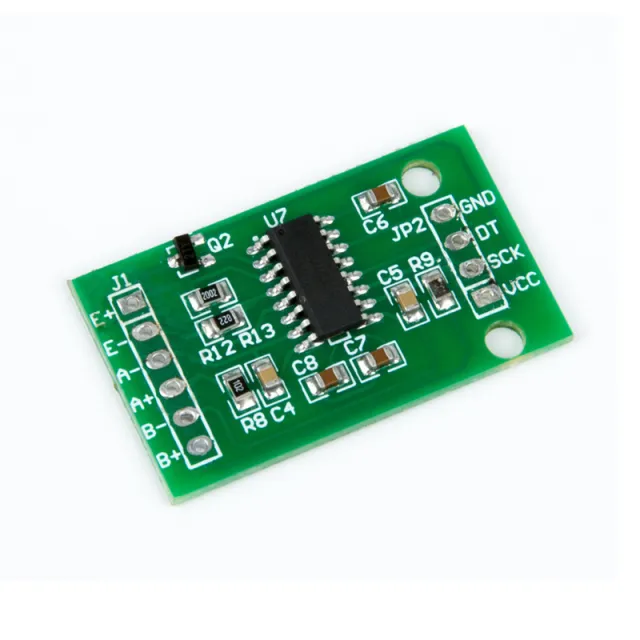
Da usare con Arduino, ESP32 o ESP8266 in combinazione con il HX711 Weegcelversterker.
Dimensioni
Lunghezza: 3,88cm
Larghezza: 3,88cm
Altezza: 1,21cm
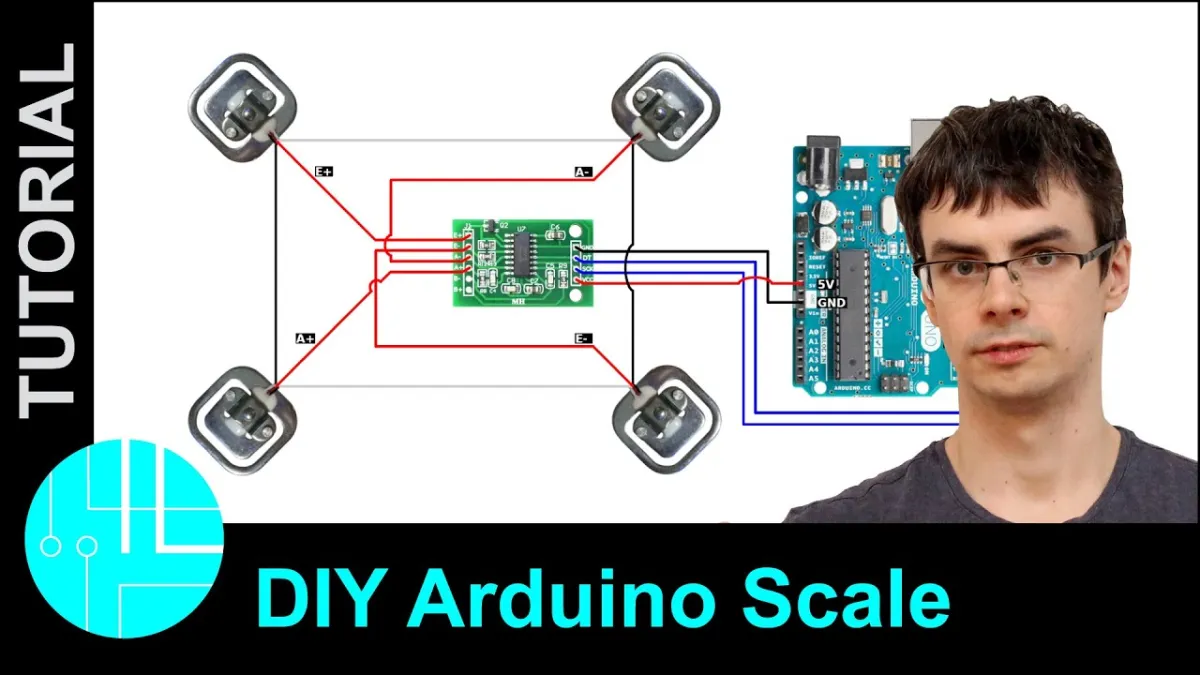
La riproduzione carica il video da YouTube.
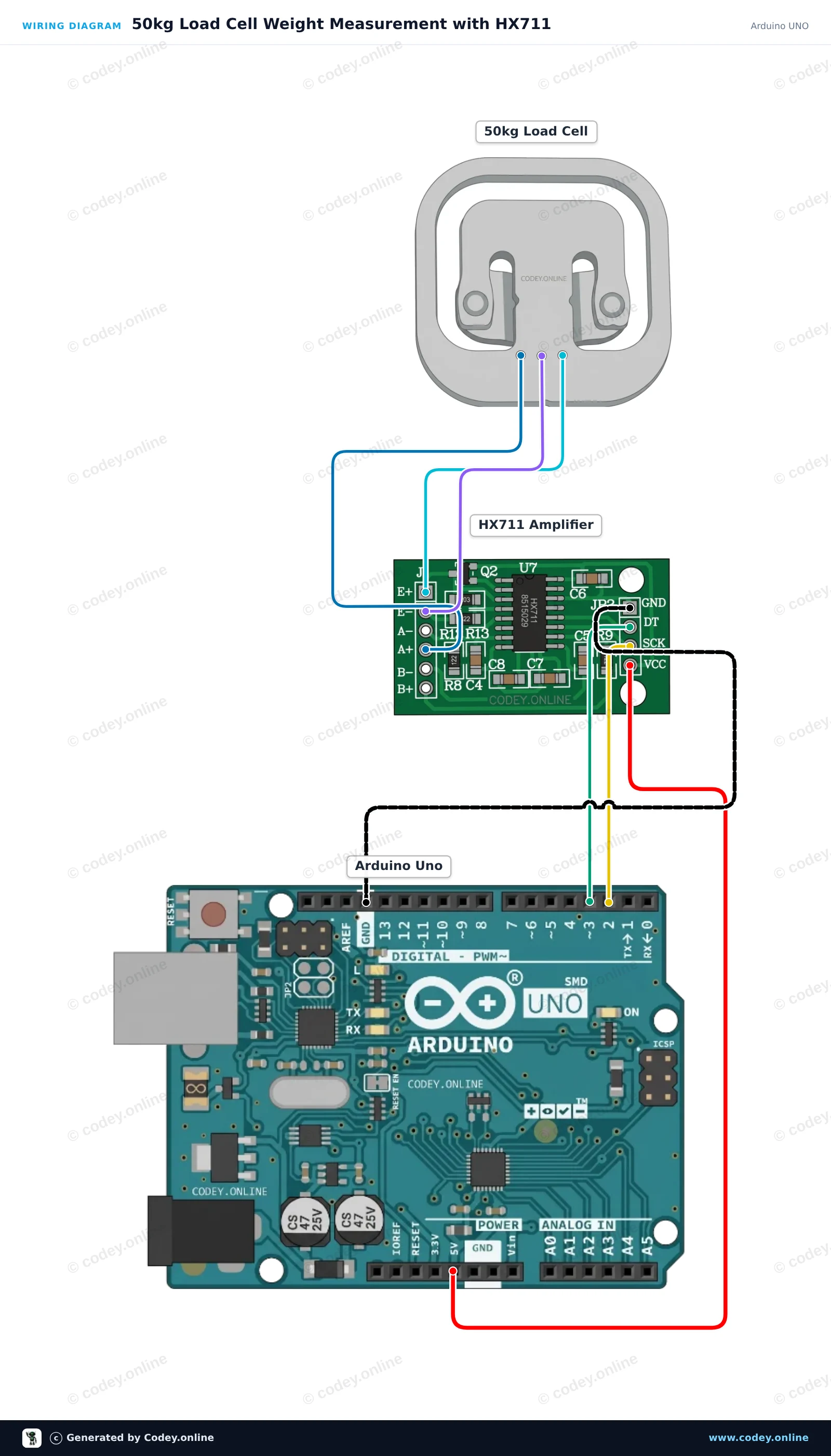
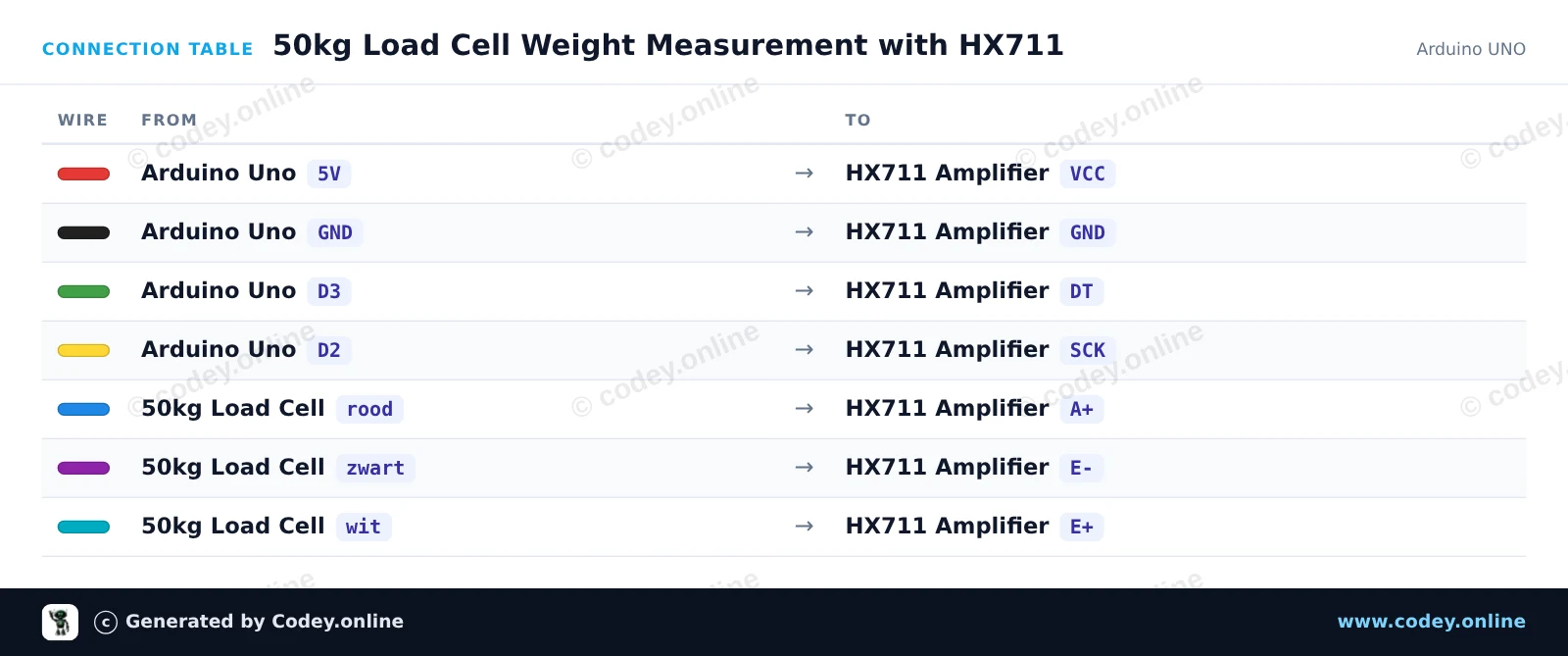
Ecco come collegare il Sensore di peso fino a 50KG a un Arduino UNO o ESP32, con uno sketch di esempio che puoi caricare subito.
Questo progetto misura il peso usando una cella di carico da 50kg collegata a un Arduino Uno tramite un modulo amplificatore HX711. Lo sketch tara la bilancia all’avvio e mostra ripetutamente il peso misurato nel Serial Monitor. Puoi calibrare la lettura regolando il fattore di calibrazione con un peso noto.
/*
 * ==================================================================
 *  Generated by Codey.online  —  https://www.codey.online
 * ==================================================================
 *  Project   : 50kg Load Cell Weight Measurement with HX711
 *  Board     : Arduino UNO (arduino:avr:uno)
 *  Parts     : 50kg Load Cell Weight Sensor
 *  Libraries : HX711 Arduino Library 0.7.5
 *
 *  Codey Online is an AI-powered browser IDE for Arduino and ESP32.
 *  Describe your project and Codey writes the code, draws the wiring
 *  diagram and uploads it to your board, straight from the browser.
 *  This code is free to use, modify and share, without warranty.
 * ==================================================================
 */

#include "HX711.h"

const int LOADCELL_DOUT_PIN = 3;
const int LOADCELL_SCK_PIN = 2;

HX711 scale;

// Adjust this calibration factor after testing with a known reference weight
float calibration_factor = -7050.0;

void setup() {
  Serial.begin(115200);
  while (!Serial) {
    ; // Wait for serial port to connect
  }

  Serial.println(F("--- HX711 Load Cell Scale ---"));
  Serial.println(F("Initializing scale, do not place weight on the sensor..."));

  scale.begin(LOADCELL_DOUT_PIN, LOADCELL_SCK_PIN);
  scale.set_scale(calibration_factor);
  scale.tare(); // Reset the scale to 0

  Serial.println(F("Tare complete. Ready for measurements."));
}

void loop() {
  if (scale.is_ready()) {
    float weight = scale.get_units(5);
    Serial.print(F("Weight: "));
    Serial.print(weight, 2);
    Serial.println(F(" units"));
  } else {
    Serial.println(F("HX711 not ready."));
  }

  delay(500);
}Librerie necessarie: HX711 Arduino Library 0.7.5
Wiring diagram and example code generated by Codey.online — https://www.codey.online
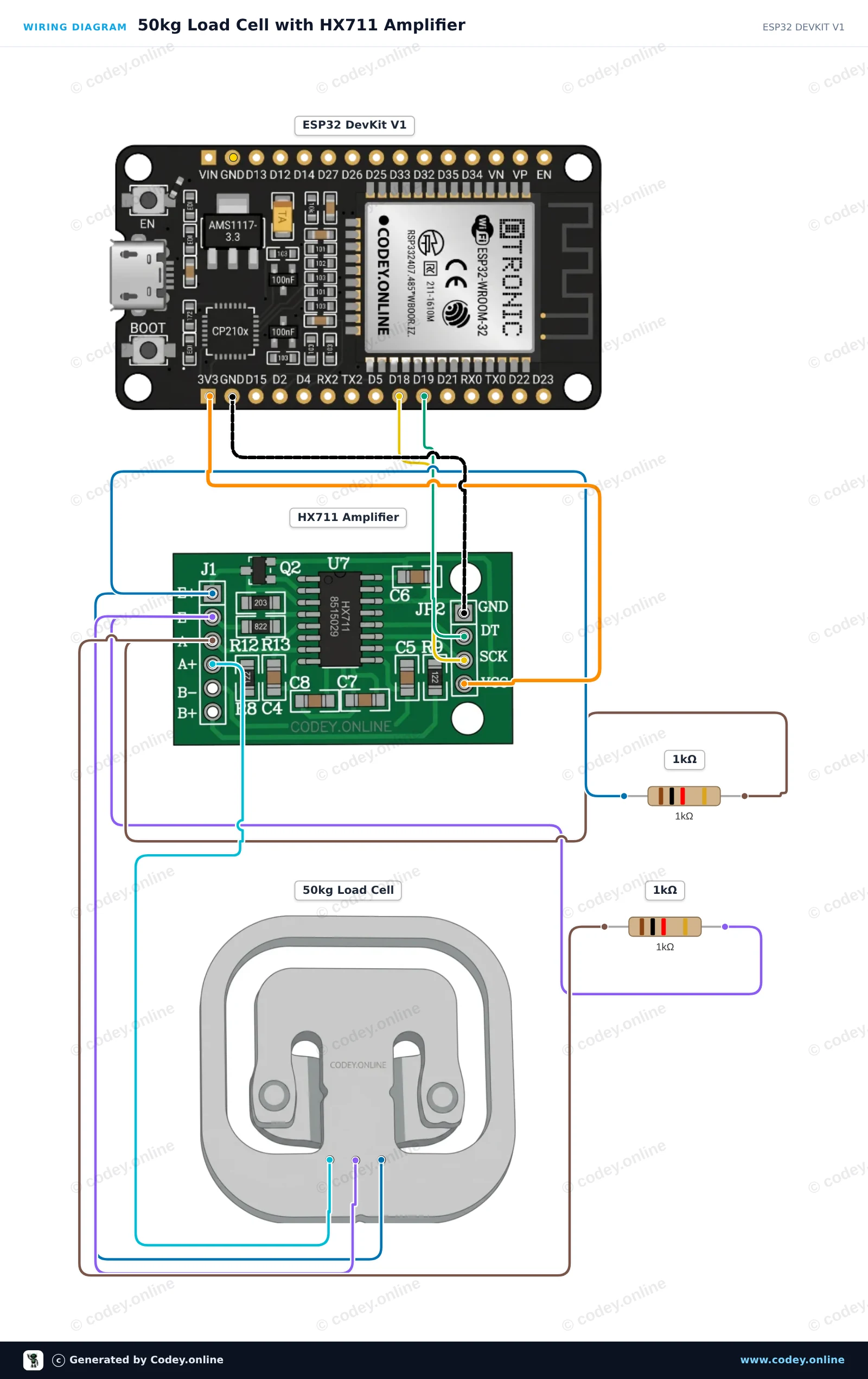
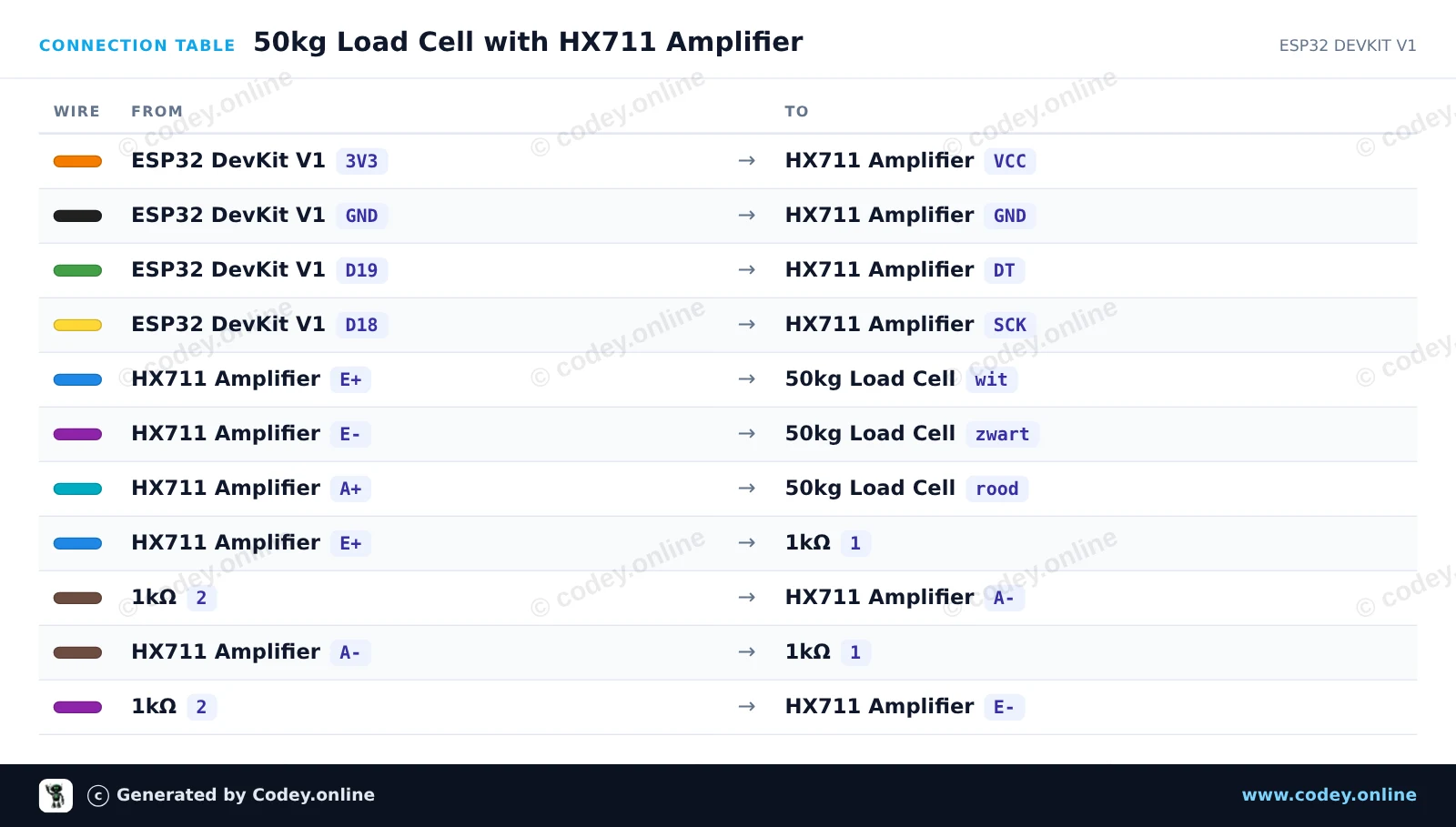
Questo progetto legge i valori di peso da una singola half-bridge load cell da 50kg usando un amplificatore HX711 e due resistori da 1kΩ per completare il ponte di Wheatstone. Collega il circuito, carica lo sketch e apri il Serial Monitor a 115200 baud per visualizzare in tempo reale le letture del sensore di peso.
/*
 * ==================================================================
 *  Generated by Codey.online  —  https://www.codey.online
 * ==================================================================
 *  Project   : 50kg Load Cell with HX711 Amplifier
 *  Board     : ESP32 DEVKIT V1 (esp32:esp32:esp32doit-devkit-v1)
 *  Parts     : 50kg Load Cell Weight Sensor
 *  Libraries : HX711 Arduino Library 0.7.5
 *
 *  Codey Online is an AI-powered browser IDE for Arduino and ESP32.
 *  Describe your project and Codey writes the code, draws the wiring
 *  diagram and uploads it to your board, straight from the browser.
 *  This code is free to use, modify and share, without warranty.
 * ==================================================================
 */

#include "HX711.h"

// Pin definitions for HX711
const int DOUT_PIN = 19;
const int SCK_PIN = 18;

HX711 scale;

void setup() {
  Serial.begin(115200);
  Serial.println("50kg Load Cell Demo");

  scale.begin(DOUT_PIN, SCK_PIN);

  Serial.println("Taring scale... Please keep sensor unloaded.");
  delay(1000);
  scale.tare();
  Serial.println("Tare complete. Ready for readings!");
}

void loop() {
  if (scale.is_ready()) {
    long rawValue = scale.get_value(5);
    Serial.print("Raw Load Cell Value: ");
    Serial.println(rawValue);
  } else {
    Serial.println("HX711 not found or not ready.");
  }

  delay(500);
}Librerie necessarie: HX711 Arduino Library 0.7.5
Wiring diagram and example code generated by Codey.online — https://www.codey.online





 English
  Nederlands
  Frans
Frans  Deutsch
  Español
  Suomi
Suomi  Polski
  Dansk
Dansk  Ελληνικά
  Български
  Čeština
  Hrvatski
  Aileen