SKU: OT6682 Numero articolo: XR791 EAN: 8720828223468

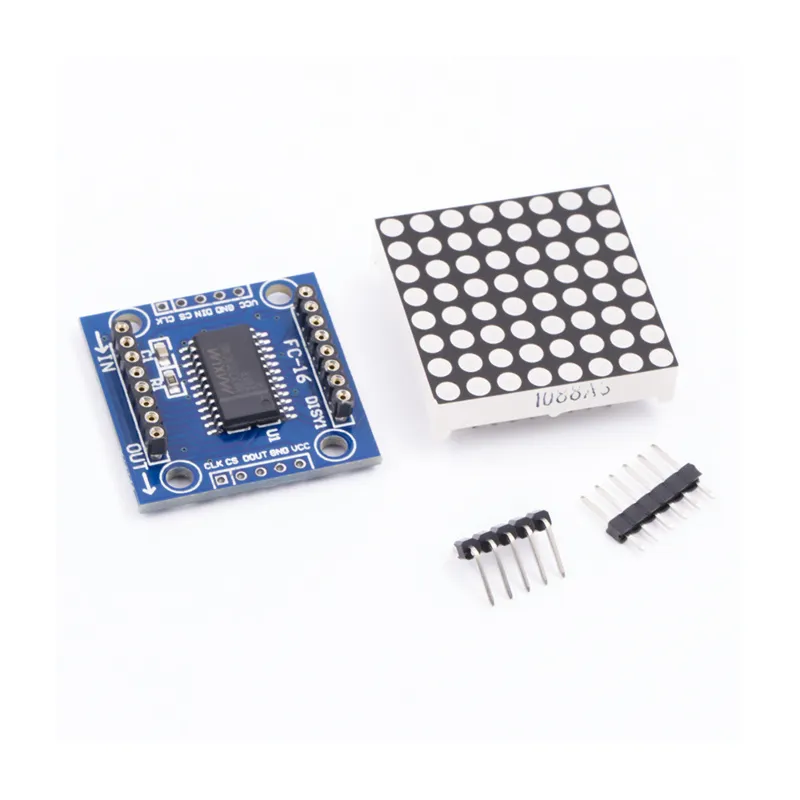
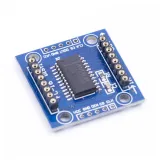
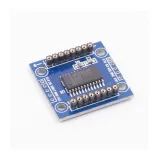
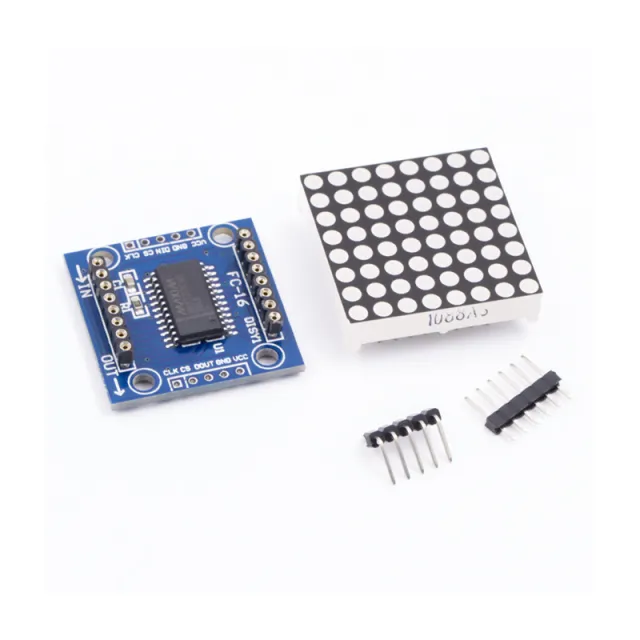
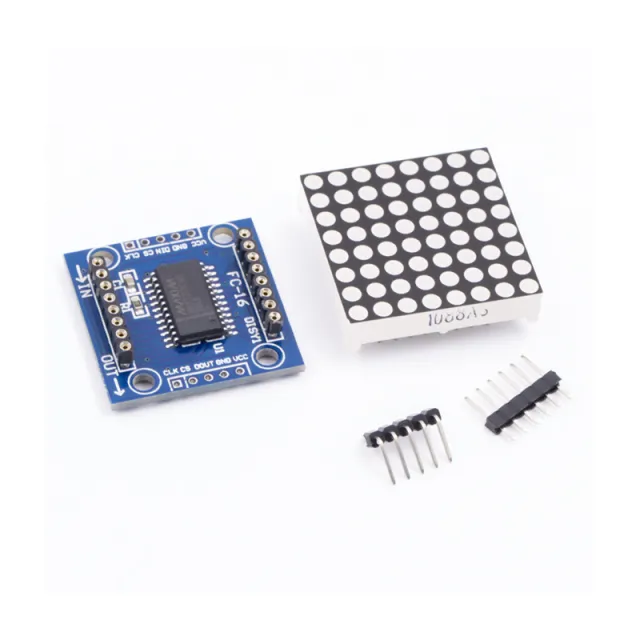
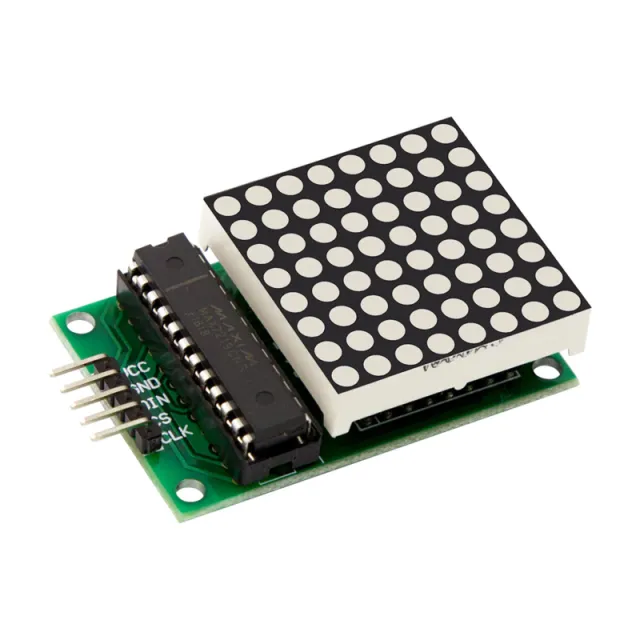
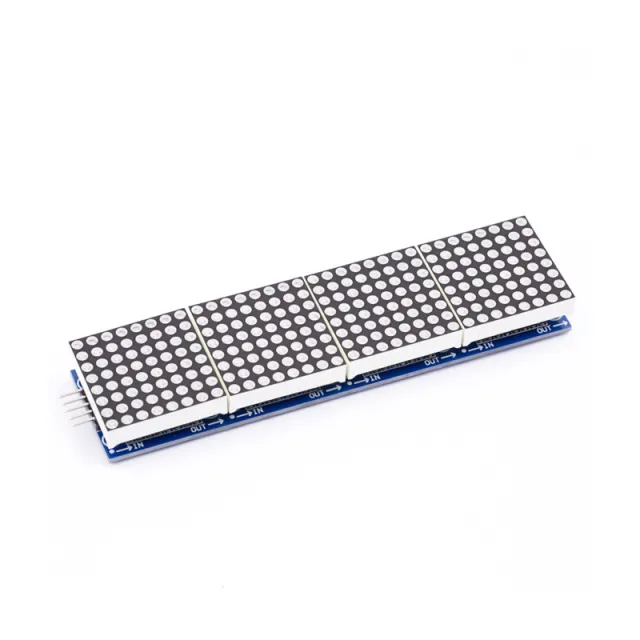
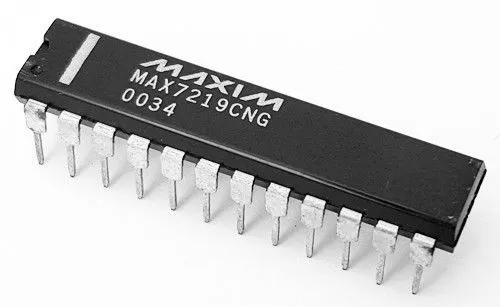
MAX7219 è un IC utilizzato per pilotare pannelli LED a catodo comune, display a 7 segmenti e indicatori di livello che comunicano tramite l'interfaccia SPI. Questa scheda dispone di un display LED a matrice di punti 8x8. Più moduli possono essere collegati in cascata utilizzando i connettori header.
Specifiche:
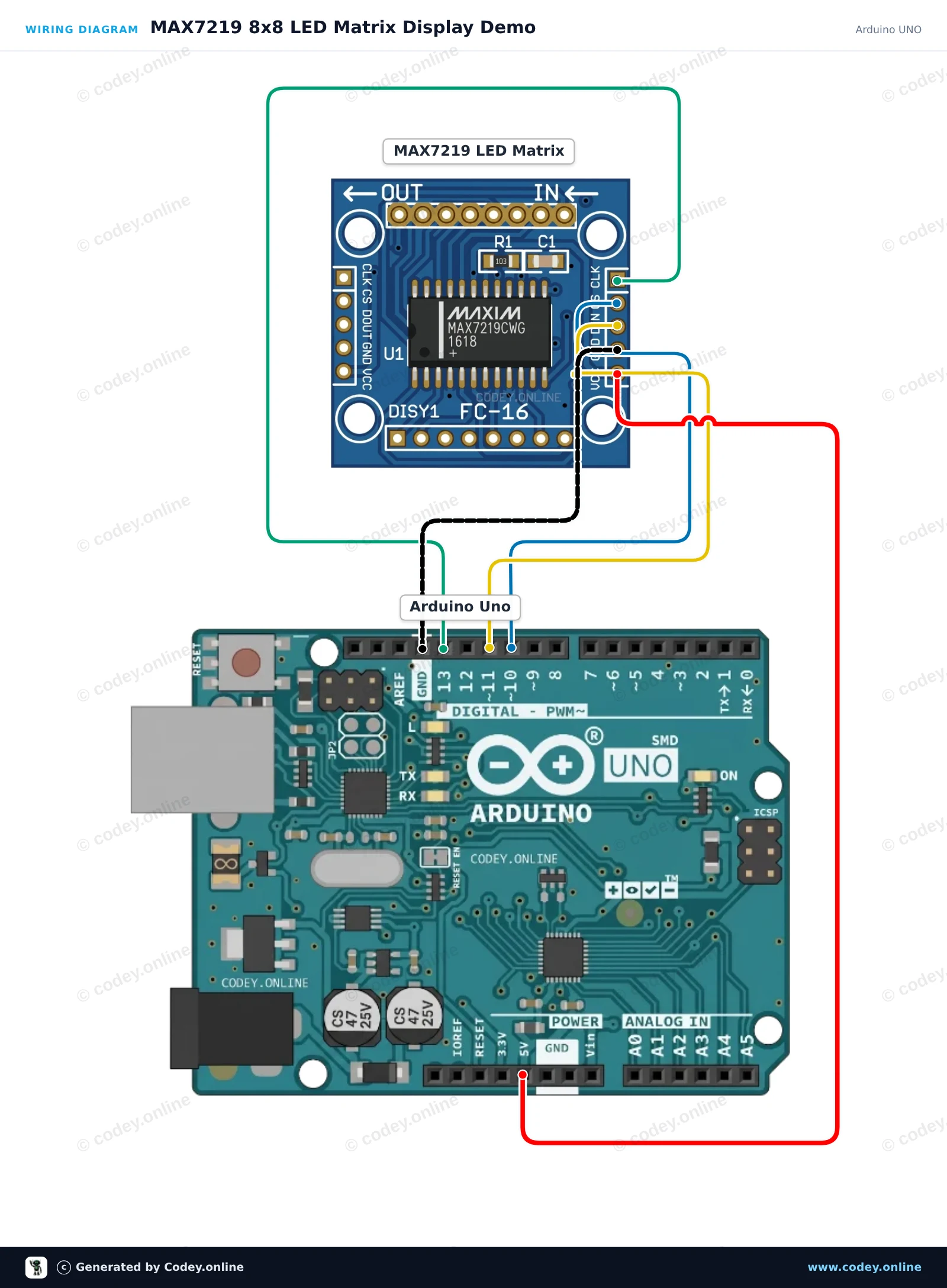
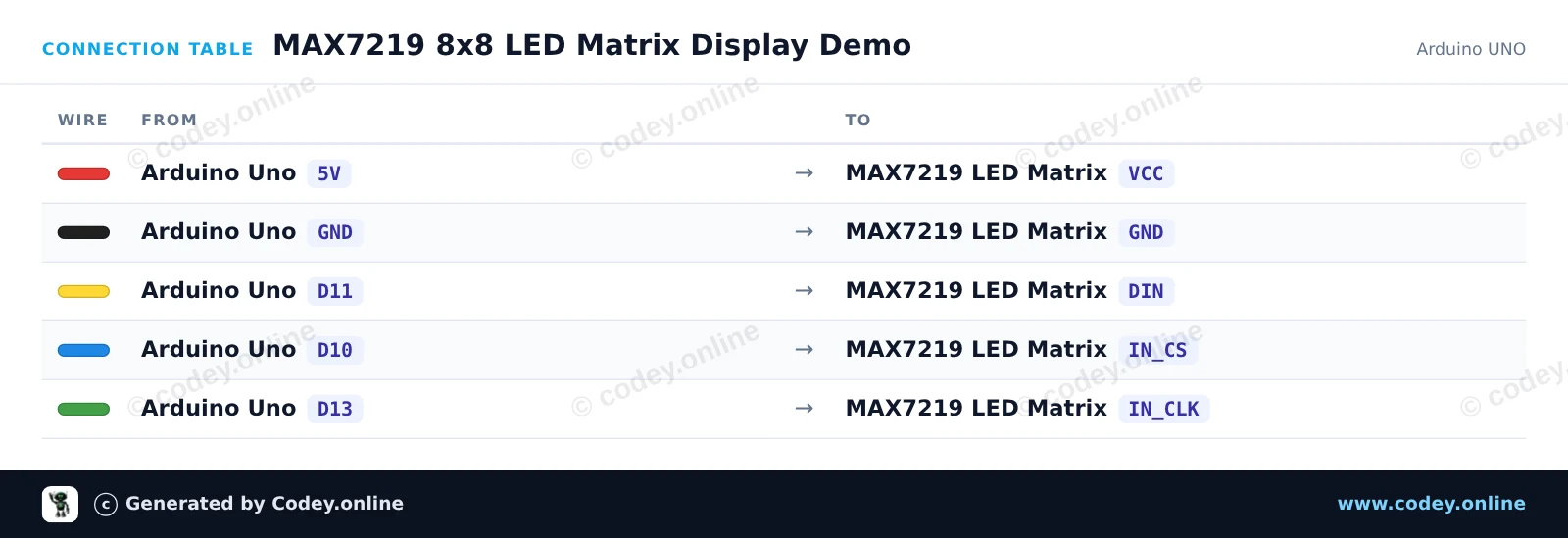
Ecco come collegare il Modulo LED Matrix MAX7219 Verde a un Arduino UNO o ESP32, con uno sketch di esempio che puoi caricare subito.
Questo progetto mostra come controllare una matrice LED 8x8 MAX7219 con un Arduino Uno. Lo sketch inizializza il display e alterna la visualizzazione di un cuore, una faccina sorridente e un’animazione di un quadrato che si espande.
/*
 * ==================================================================
 *  Generated by Codey.online  —  https://www.codey.online
 * ==================================================================
 *  Project   : MAX7219 8x8 LED Matrix Display Demo
 *  Board     : Arduino UNO (arduino:avr:uno)
 *  Parts     : LED Matrix Module MAX7219
 *  Libraries : LedControl 1.0.6
 *
 *  Codey Online is an AI-powered browser IDE for Arduino and ESP32.
 *  Describe your project and Codey writes the code, draws the wiring
 *  diagram and uploads it to your board, straight from the browser.
 *  This code is free to use, modify and share, without warranty.
 * ==================================================================
 */

#include <LedControl.h>

const int DIN_PIN = 11;
const int CS_PIN  = 10;
const int CLK_PIN = 13;

LedControl lc = LedControl(DIN_PIN, CLK_PIN, CS_PIN, 1);

const byte HEART[8] = {
  B00000000,
  B01100110,
  B11111111,
  B11111111,
  B11111111,
  B01111110,
  B00111100,
  B00011000
};

const byte SMILE[8] = {
  B00111100,
  B01000010,
  B10100101,
  B10000001,
  B10100101,
  B10011001,
  B01000010,
  B00111100
};

void displayPattern(const byte pattern[8]) {
  for (int row = 0; row < 8; row++) {
    lc.setRow(0, row, pattern[row]);
  }
}

void setup() {
  Serial.begin(115200);
  Serial.println(F("MAX7219 LED Matrix Demo"));

  lc.shutdown(0, false);  // Wake up display
  lc.setIntensity(0, 8);   // Set brightness (0-15)
  lc.clearDisplay(0);
}

void loop() {
  // Show Heart
  displayPattern(HEART);
  delay(1500);

  // Show Smile
  displayPattern(SMILE);
  delay(1500);

  // Dot scan animation
  lc.clearDisplay(0);
  for (int row = 0; row < 8; row++) {
    for (int col = 0; col < 8; col++) {
      lc.setLed(0, row, col, true);
      delay(20);
    }
  }
  delay(500);
  lc.clearDisplay(0);
  delay(300);
}Librerie necessarie: LedControl 1.0.6
Wiring diagram and example code generated by Codey.online — https://www.codey.online
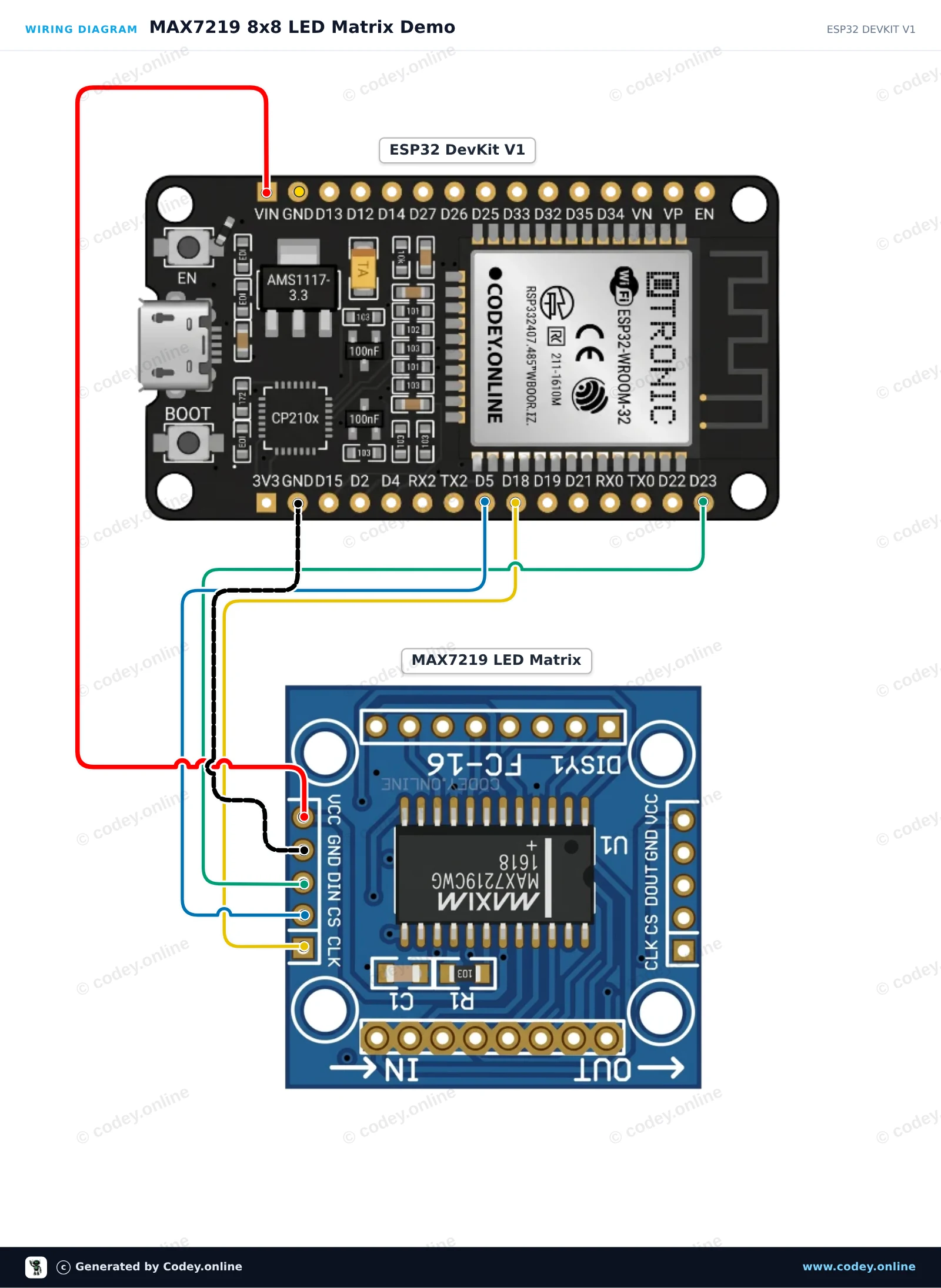
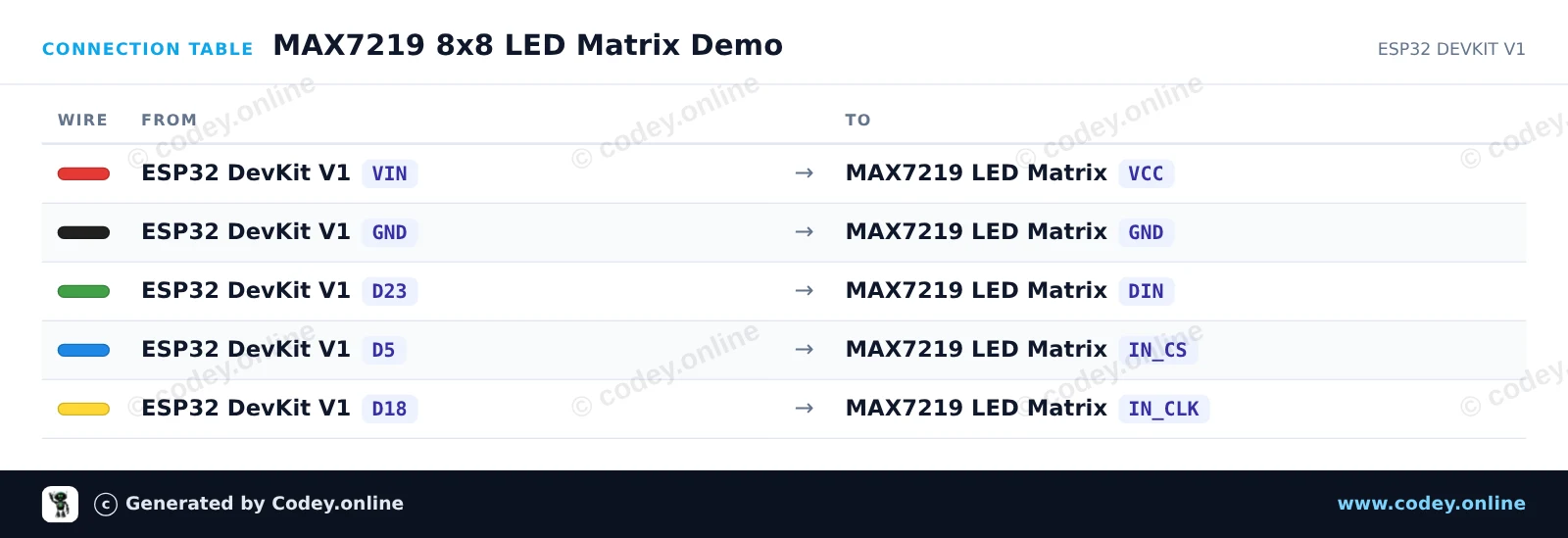
Questo progetto usa l'interfaccia SPI hardware dell'ESP32 per controllare una matrice LED MAX7219 8x8 senza richiedere librerie esterne. Lo sketch inizializza il display e alterna tra la visualizzazione di una faccina sorridente, un'icona a forma di cuore e un'animazione di scansione delle righe.
/*
 * ==================================================================
 *  Generated by Codey.online  —  https://www.codey.online
 * ==================================================================
 *  Project   : MAX7219 8x8 LED Matrix Demo
 *  Board     : ESP32 DEVKIT V1 (esp32:esp32:esp32doit-devkit-v1)
 *  Parts     : LED Matrix Module MAX7219
 *  Libraries : none (built-in)
 *
 *  Codey Online is an AI-powered browser IDE for Arduino and ESP32.
 *  Describe your project and Codey writes the code, draws the wiring
 *  diagram and uploads it to your board, straight from the browser.
 *  This code is free to use, modify and share, without warranty.
 * ==================================================================
 */

#include <SPI.h>

const int CS_PIN = 5;

// MAX7219 register addresses
const byte REG_NOOP   = 0x00;
const byte REG_DIGIT0 = 0x01;
const byte REG_DECODE = 0x09;
const byte REG_INTEN  = 0x0A;
const byte REG_SCAN   = 0x0B;
const byte REG_SHUT   = 0x0C;
const byte REG_TEST   = 0x0F;

// 8x8 Bitmaps
const byte SMILE[8] = {
  0b00111100,
  0b01000010,
  0b10100101,
  0b10000001,
  0b10100101,
  0b10011001,
  0b01000010,
  0b00111100
};

const byte HEART[8] = {
  0b00000000,
  0b01100110,
  0b11111111,
  0b11111111,
  0b11111111,
  0b01111110,
  0b00111100,
  0b00011000
};

void max7219Send(byte reg, byte data) {
  digitalWrite(CS_PIN, LOW);
  SPI.transfer(reg);
  SPI.transfer(data);
  digitalWrite(CS_PIN, HIGH);
}

void clearDisplay() {
  for (byte i = 1; i <= 8; i++) {
    max7219Send(i, 0x00);
  }
}

void displayBitmap(const byte bitmap[8]) {
  for (byte i = 0; i < 8; i++) {
    max7219Send(i + 1, bitmap[i]);
  }
}

void setup() {
  Serial.begin(115200);
  pinMode(CS_PIN, OUTPUT);
  digitalWrite(CS_PIN, HIGH);

  // Initialize hardware SPI (SCK=18, MISO=19, MOSI=23, SS=5)
  SPI.begin(18, 19, 23, CS_PIN);

  // Configure MAX7219 registers
  max7219Send(REG_TEST, 0x00);   // Normal operation (display test off)
  max7219Send(REG_SCAN, 0x07);   // Scan all 8 digits/rows
  max7219Send(REG_DECODE, 0x00); // Raw matrix mode (no BCD decoding)
  max7219Send(REG_INTEN, 0x04);  // Medium brightness (0x00 to 0x0F)
  max7219Send(REG_SHUT, 0x01);   // Normal operation (wake up)
  clearDisplay();

  Serial.println("MAX7219 LED Matrix ready!");
}

void loop() {
  // Show Smiley Face
  displayBitmap(SMILE);
  delay(2000);

  // Show Heart Icon
  displayBitmap(HEART);
  delay(2000);

  // Row scan animation
  clearDisplay();
  for (byte r = 1; r <= 8; r++) {
    max7219Send(r, 0xFF);
    delay(100);
    max7219Send(r, 0x00);
  }
}Wiring diagram and example code generated by Codey.online — https://www.codey.online





 English
  Nederlands
  Frans
Frans  Deutsch
  Español
  Suomi
Suomi  Polski
  Dansk
Dansk  Ελληνικά
  Български
  Čeština
  Hrvatski
  Aileen