SKU: OT5863 Numero articolo: XR356 EAN: 8720618489425

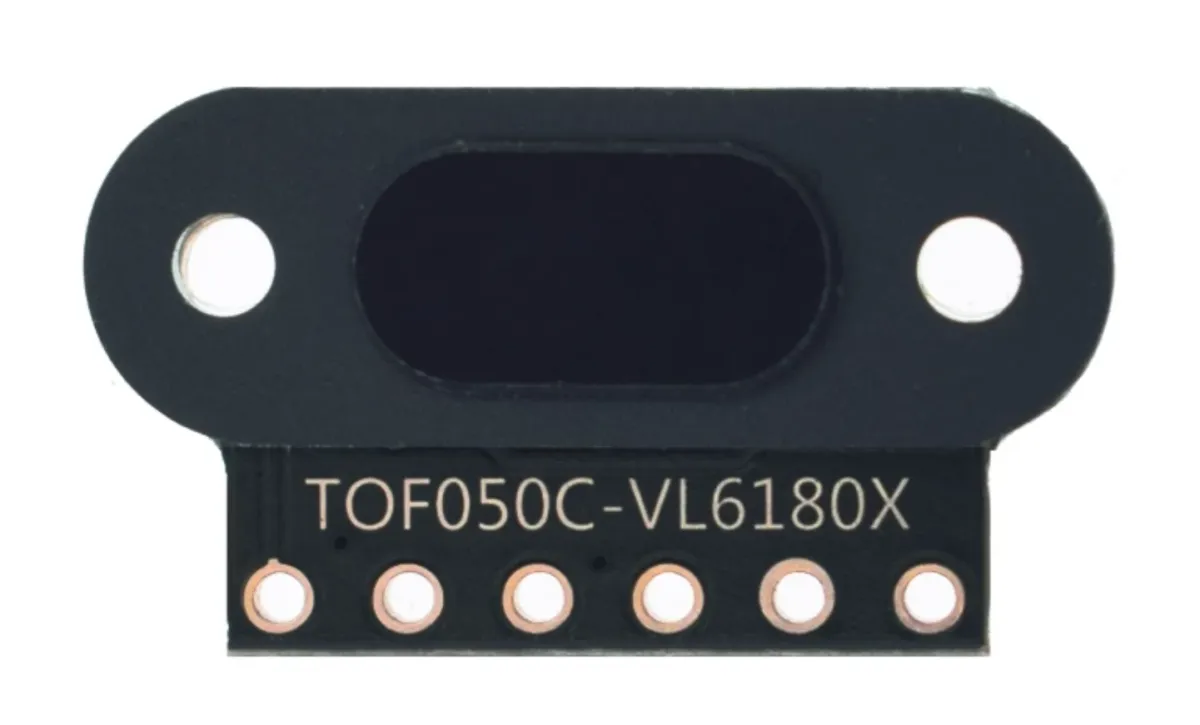
Modulo mini sensore di distanza laser con una precisione di 1mm e ampio raggio.
Model: TOF050C-VL6180X
Tensione: 3V fino a 5 V
Consumo di corrente: 40 mA (max)
Distanza: 3cm fino a 50cm
Connessioni:
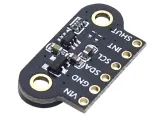
- VIN
- GND
- SDA
- SCL
- INT
- SHUT
Comunicazione: il protocollo di comunicazione I2C (completamente compatibile con sistema 3-5 v)
Adatto per Arduino, ESP8266 e ESP32. Funziona bene con la libreria Adafruit_VL6180X.
Più sensori su 1 linea I2C possibili poiché ai sensori può essere assegnato via software un indirizzo I2C.
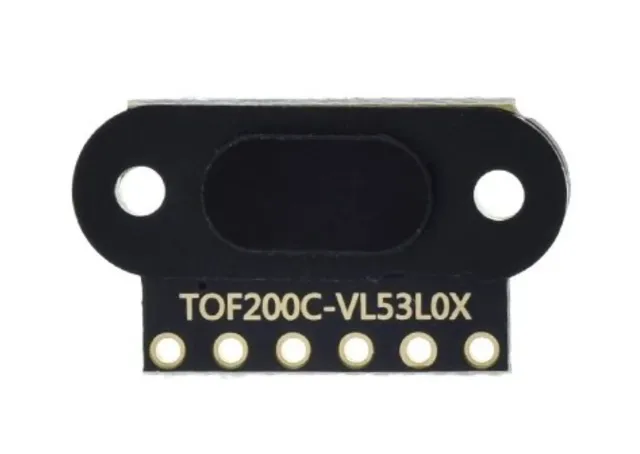
Il sensore laser Time Of Flight VL53L0X è un sensore molto preciso e affidabile che può essere utilizzato per un'ampia gamma di applicazioni, tra cui misurazione della distanza, rilevamento del movimento e navigazione.
Uno dei principali vantaggi di questo sensore è la sua precisione. Il sensore utilizza la tecnologia laser per misurare la distanza da un oggetto, offrendo così un risultato molto più accurato rispetto, ad esempio, a un sensore a infrarossi. Questo rende il sensore adatto, ad esempio, all'uso in droni, automazione industriale e robot.
Inoltre, il sensore è anche molto facile da usare. È compatibile con un'ampia gamma di piattaforme microcontroller, tra cui Arduino, Raspberry Pi e STM32, e sono disponibili molti esempi e librerie per aiutarvi a integrare il sensore nel vostro progetto.
Infine, il sensore è anche molto piccolo e leggero, il che ne facilita l'integrazione in un'ampia gamma di applicazioni. I 2 fori per viti rendono inoltre molto semplice fissare saldamente questo sensore.
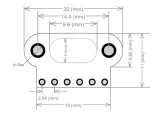
Dimensioni
Lunghezza: 1,3cm
Larghezza: 1,04cm
Altezza: 0,32cm

La riproduzione carica il video da YouTube.
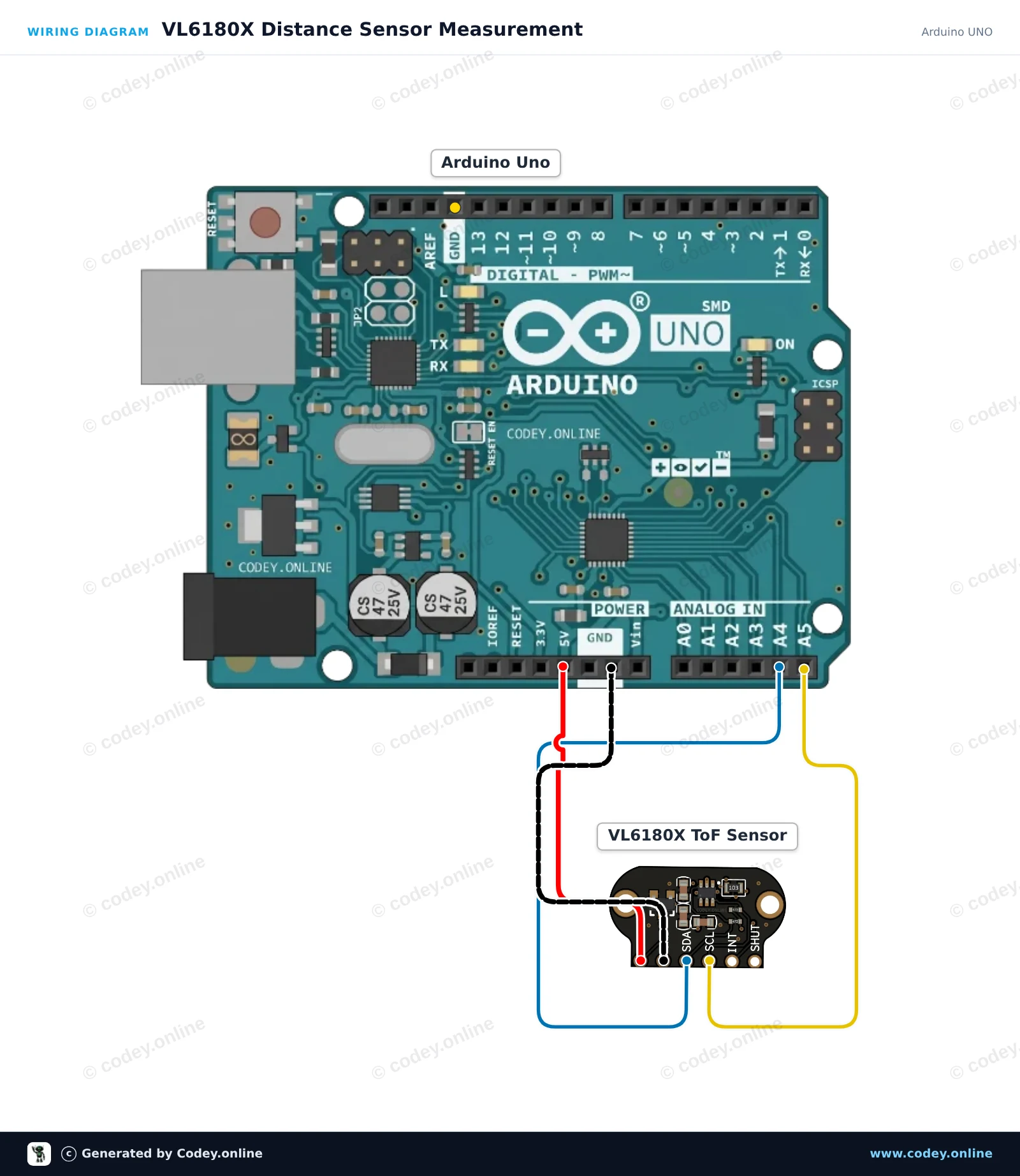
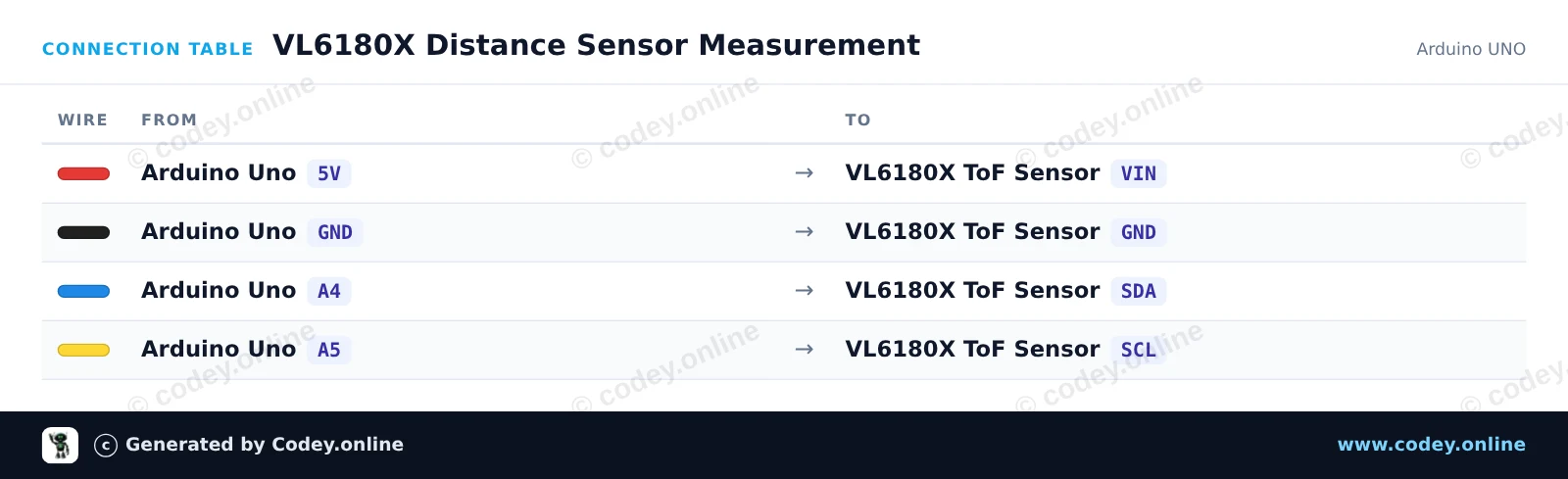
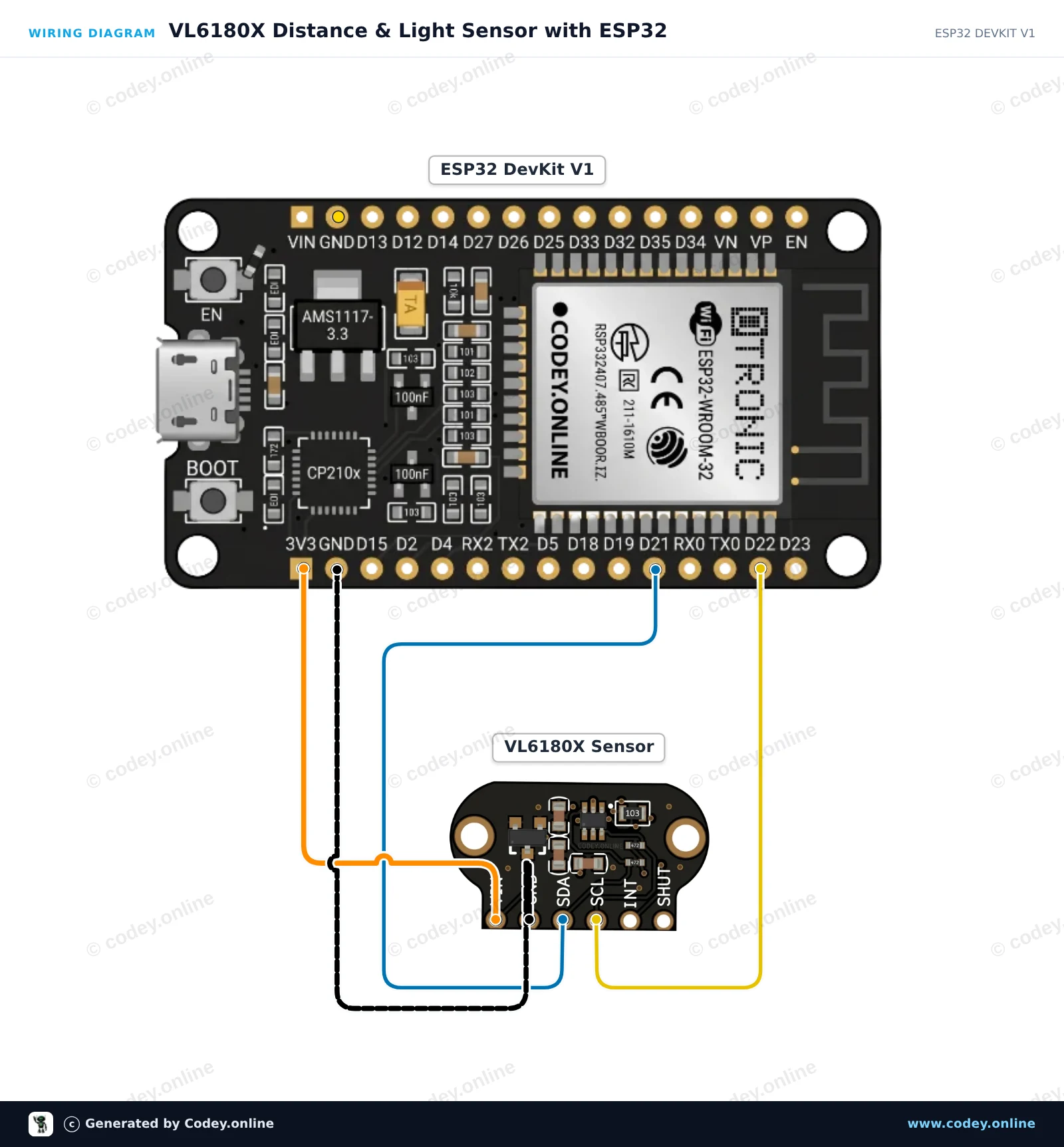
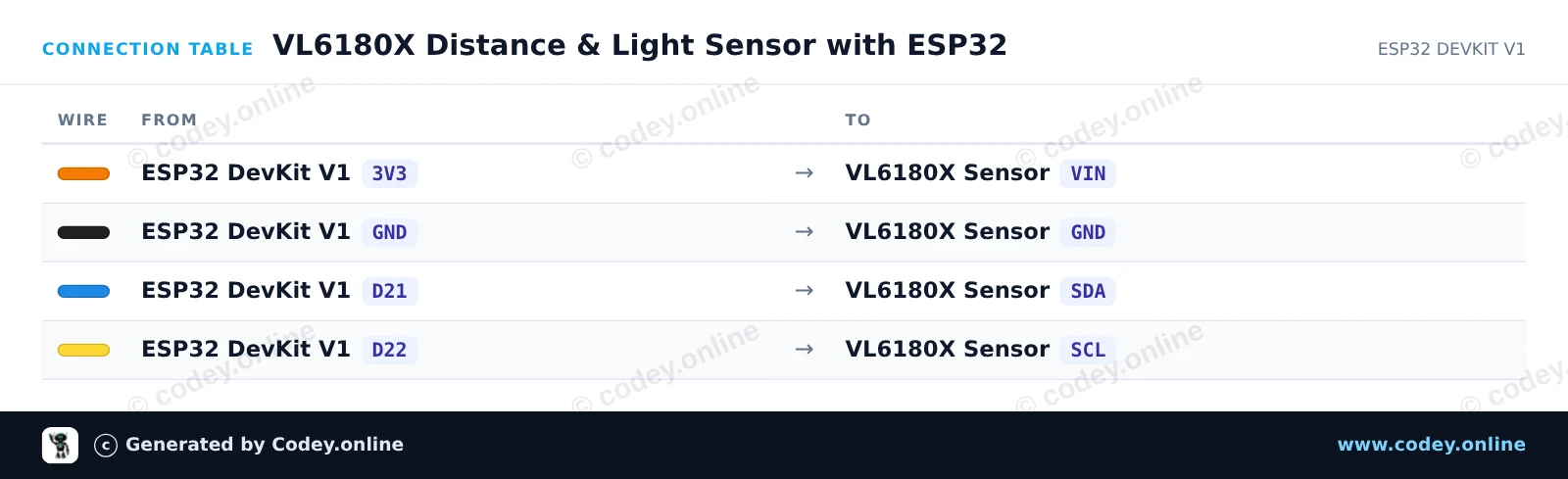
Ecco come collegare il TOF050C-VL6180X Sensore di distanza Time-Of-Flight molto preciso a un Arduino UNO o ESP32, con uno sketch di esempio che puoi caricare subito.
Questo progetto misura con precisione distanze ravvicinate (fino a ~200mm) usando il sensore Time-of-Flight VL6180X tramite I2C. Collega il sensore all'alimentazione e ai pin I2C, poi apri il Monitor Seriale a 115200 baud per vedere le misure di distanza in millimetri in tempo reale.
/*
 * ==================================================================
 *  Generated by Codey.online  —  https://www.codey.online
 * ==================================================================
 *  Project   : VL6180X Distance Sensor Measurement
 *  Board     : Arduino UNO (arduino:avr:uno)
 *  Parts     : TOF050C-VL6180X Distance Sensor Time-Of-Flight high precision
 *  Libraries : Adafruit_VL6180X 1.4.4
 *
 *  Codey Online is an AI-powered browser IDE for Arduino and ESP32.
 *  Describe your project and Codey writes the code, draws the wiring
 *  diagram and uploads it to your board, straight from the browser.
 *  This code is free to use, modify and share, without warranty.
 * ==================================================================
 */

#include <Wire.h>
#include <Adafruit_VL6180X.h>

Adafruit_VL6180X vl = Adafruit_VL6180X();

void setup() {
  Serial.begin(115200);
  while (!Serial) { delay(1); }

  Serial.println(F("Initializing VL6180X sensor..."));
  if (!vl.begin()) {
    Serial.println(F("Failed to find VL6180X sensor! Check wiring."));
    while (1);
  }
  Serial.println(F("VL6180X sensor ready!"));
}

void loop() {
  uint8_t range = vl.readRange();
  uint8_t status = vl.readRangeStatus();

  if (status == VL6180X_ERROR_NONE) {
    Serial.print(F("Distance: "));
    Serial.print(range);
    Serial.println(F(" mm"));
  } else {
    if (status >= VL6180X_ERROR_SYSERR_1 && status <= VL6180X_ERROR_SYSERR_5) {
      Serial.println(F("System error"));
    } else if (status == VL6180X_ERROR_ECEFAIL) {
      Serial.println(F("ECE failure"));
    } else if (status == VL6180X_ERROR_NOCONVERGE) {
      Serial.println(F("No convergence"));
    } else if (status == VL6180X_ERROR_RANGEIGNORE) {
      Serial.println(F("Ignoring range"));
    } else if (status == VL6180X_ERROR_SNR) {
      Serial.println(F("Signal-to-Noise Ratio error"));
    } else if (status == VL6180X_ERROR_RAWUFLOW) {
      Serial.println(F("Raw reading underflow"));
    } else if (status == VL6180X_ERROR_RAWOFLOW) {
      Serial.println(F("Raw reading overflow"));
    } else if (status == VL6180X_ERROR_RANGEUFLOW) {
      Serial.println(F("Range reading underflow"));
    } else if (status == VL6180X_ERROR_RANGEOFLOW) {
      Serial.println(F("Out of range (>200mm)"));
    }
  }

  delay(200);
}Librerie necessarie: Adafruit_VL6180X 1.4.4
Wiring diagram and example code generated by Codey.online — https://www.codey.online
Questo progetto misura la distanza a corto raggio (0–100 mm) e i livelli di luce ambientale utilizzando il sensore Time-of-Flight TOF050C VL6180X tramite I2C. Collega il sensore direttamente al 3.3V dell'ESP32 e ai pin I2C predefiniti (GPIO 21 e 22). Apri il Serial Monitor a 115200 baud per visualizzare in tempo reale le misure di distanza e di lux ambientale.
/*
 * ==================================================================
 *  Generated by Codey.online  —  https://www.codey.online
 * ==================================================================
 *  Project   : VL6180X Distance & Light Sensor with ESP32
 *  Board     : ESP32 DEVKIT V1 (esp32:esp32:esp32doit-devkit-v1)
 *  Parts     : TOF050C-VL6180X Distance Sensor Time-Of-Flight high precision
 *  Libraries : Adafruit_VL6180X 1.4.4
 *
 *  Codey Online is an AI-powered browser IDE for Arduino and ESP32.
 *  Describe your project and Codey writes the code, draws the wiring
 *  diagram and uploads it to your board, straight from the browser.
 *  This code is free to use, modify and share, without warranty.
 * ==================================================================
 */

#include <Wire.h>
#include <Adafruit_VL6180X.h>

Adafruit_VL6180X vl = Adafruit_VL6180X();

void setup() {
  Serial.begin(115200);
  while (!Serial) delay(10);

  Serial.println("VL6180X Distance & Light Sensor Demo");

  Wire.begin(21, 22);

  if (!vl.begin()) {
    Serial.println("Failed to find VL6180X sensor! Check wiring.");
    while (1) delay(100);
  }

  Serial.println("VL6180X found and initialized!");
}

void loop() {
  float lux = vl.readLux(VL6180X_ALS_GAIN_5);
  uint8_t range = vl.readRange();
  uint8_t status = vl.readRangeStatus();

  Serial.print("Ambient Light: ");
  Serial.print(lux);
  Serial.print(" Lux | ");

  if (status == VL6180X_ERROR_NONE) {
    Serial.print("Distance: ");
    Serial.print(range);
    Serial.println(" mm");
  } else {
    Serial.print("Range Status Error (Code: ");
    Serial.print(status);
    Serial.println(")");
  }

  delay(200);
}Librerie necessarie: Adafruit_VL6180X 1.4.4
Wiring diagram and example code generated by Codey.online — https://www.codey.online





 English
  Nederlands
  Frans
Frans  Deutsch
  Español
  Suomi
Suomi  Polski
  Dansk
Dansk  Ελληνικά
  Български
  Čeština
  Hrvatski
  Aileen